Free · telephony required
Receive calls directly from your website
Visitors click and speak in their browser; your team receives the call through its phone system. Help with questions before an order or enquiry.
Free widget. Requires dedicated telephony, an enabled web-call line, HTTPS and microphone permission. Telephony charges apply separately.
- Visitors need no app or phone number
- Calls follow your phone-system routing
- The calling engine loads after a click

The whole job — workflow, settings and other channels — is on the page «Phone system (PBX)»
- for the widget: minutes are billed by your own phone provider
- $0
- And browser microphone permission
- HTTPS
- Attempts per hour per visitor / location
- 5 / 30
- languages in the call panel: en, ru, ka, tr — the rest fall back to English
- 4
How it works for the visitor
- 1
The visitor taps the handset
They find the button in the corner of the site or as an item in the multi-button fan. There is no number to dial — it isn’t in the interface at all.
- 2
They allow the microphone
The browser asks for the microphone and the visitor confirms. No app, no extension, no sign-up is needed for the call.
- 3
They watch the call connect
The panel walks through clear states: preparing the call, connecting, ringing. After that the visitor hears whatever your PBX is set up to play — a greeting before an operator answers, for instance.
- 4
They talk right in the browser
The panel shows the call status and the “mute” and “hang up” buttons. When the conversation ends, the panel says the call is over.
Set up in three steps
Create an account and add your site
Signup opens setup for the selected product. Have your domain and permission to insert code ready.
Configure and install
Follow your platform instructions. Blocking trackers before consent requires the early CMP script, not just the shared async tag.
Test your published site
Enable the widget and try the visitor action on the published page. Settings may appear after the cache refreshes.
The tag
<script src="https://cdn.cenaly.ru/site/v1.js" data-domain="your-site.com" async></script>Shared widget tag. See the separate CMP instructions for blocking trackers before consent.
What the website call does
Let visitors call without a number
The conversation runs over the internet straight from the browser — no SIP client, extension, install or sign-up. Best on pages people study from a laptop, when the phone is out of reach.
Take it as an ordinary inbound call
The call follows your PBX routing: operators, the queue, a greeting, forwarding, the phone assistant, call recording. On the incoming-call card staff see a “From the site” block: the address and title of the page where the handset was pressed — no cookies or visitor identifiers travel with it. The widget has no inbox of its own and doesn’t need one. Best for teams whose routing is already in place and doesn’t need rebuilding.
Connect without international dialing
Visitors call over the internet without dialing an international number. Their internet-provider terms apply; availability depends on the browser, network and your telephony.
Don’t load the engine up front
The call engine (JsSIP) — the heaviest part — loads as a separate file only after the handset is tapped. Until then the page carries a lightweight button. Best for sites that watch their load speed.
Keep the credentials single-use
The server issues short-lived call connection credentials instead of a permanent phone-system password. Protective limits apply to call attempts.
Explain a refusal in plain words
Microphone blocked, the line switched off, telephony unavailable, too many attempts, a network drop — each case has its own message for the visitor. Best for everyone: silence in response to a tap looks like a broken site.
Where it pays off
Customers abroad
Visitors call over the internet without dialing an international number. Their internet-provider terms apply; availability depends on the browser, network and your telephony.
Visitors on a laptop
Someone is reading your site on a computer with the phone in another room. The button lets them call from the same browser.
Complex services
Repairs, healthcare, legal questions: the visitor wants to check details by voice before choosing a service or leaving an enquiry.
Campaign landing pages
The page already has an enquiry form, but some people prefer to talk: the button lets them call without leaving a number.
A call inside the multi-button
If the site has the multi-button, add the call to its fan: the separate handset goes dark and stops duplicating the same channel.
Enquiries outside working hours
The call follows your PBX route — to a greeting or the phone assistant if you set them up. The widget has no schedule of its own and does not change the route.
What it looks like in the product
Call button on the site
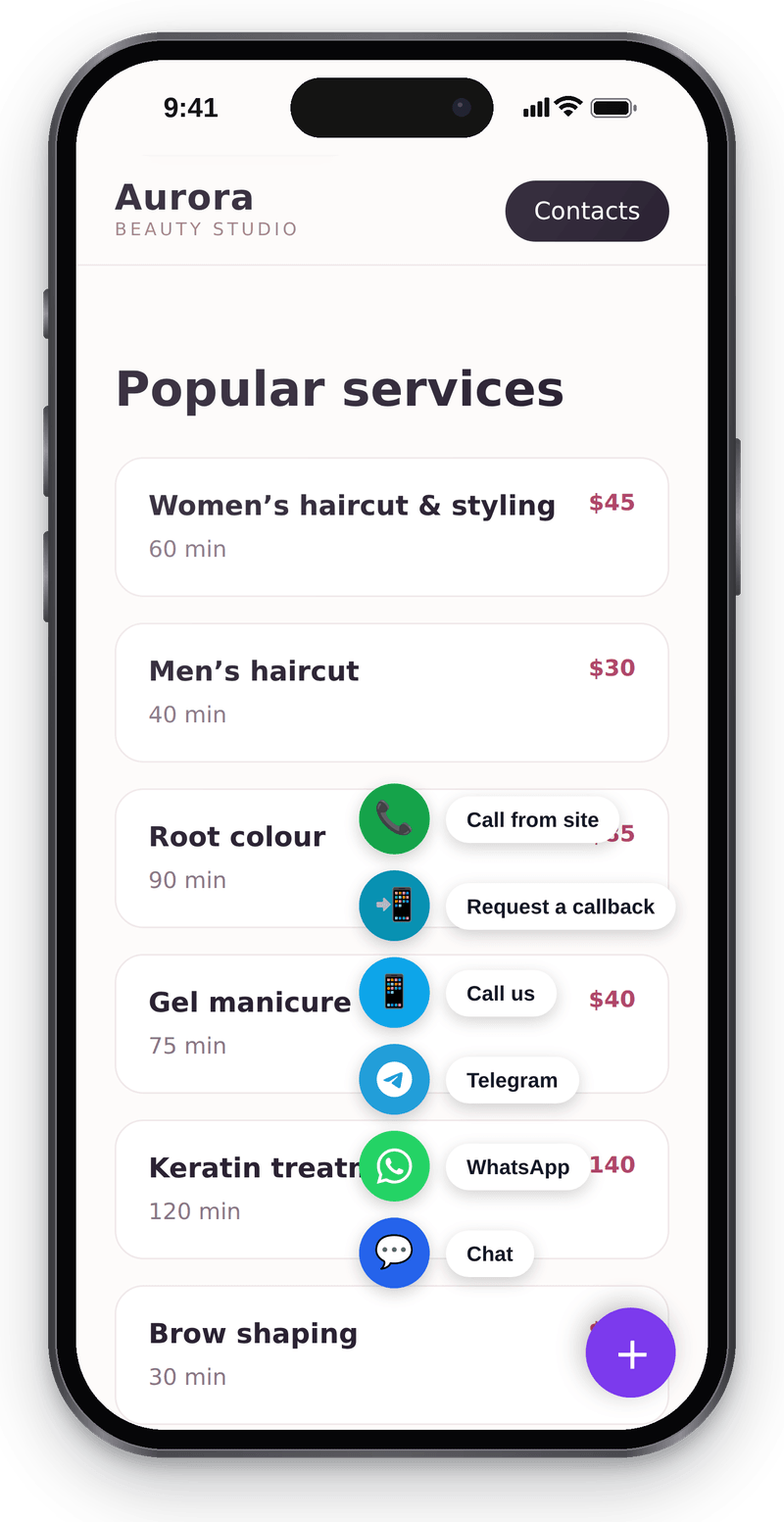
Visitors call from the browser; only a microphone is needed

Setup in the workspace
View full size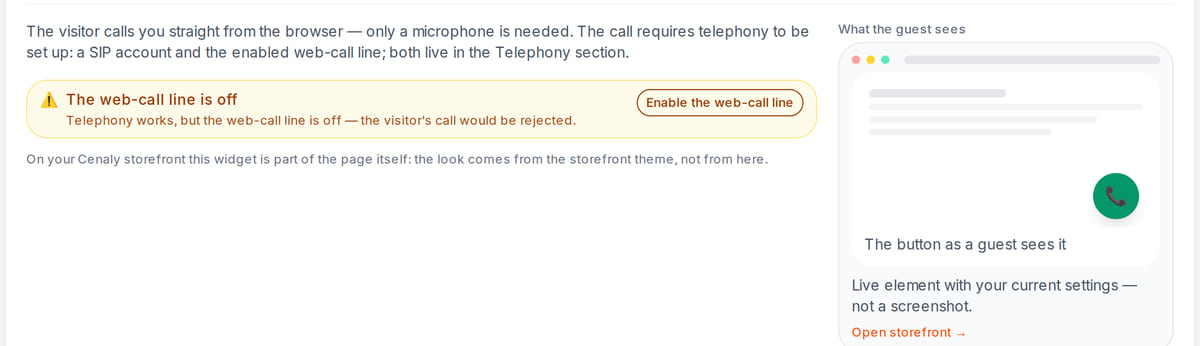
Without connected telephony and a web call line the call won’t go through, and the workspace says so

How it works in practice
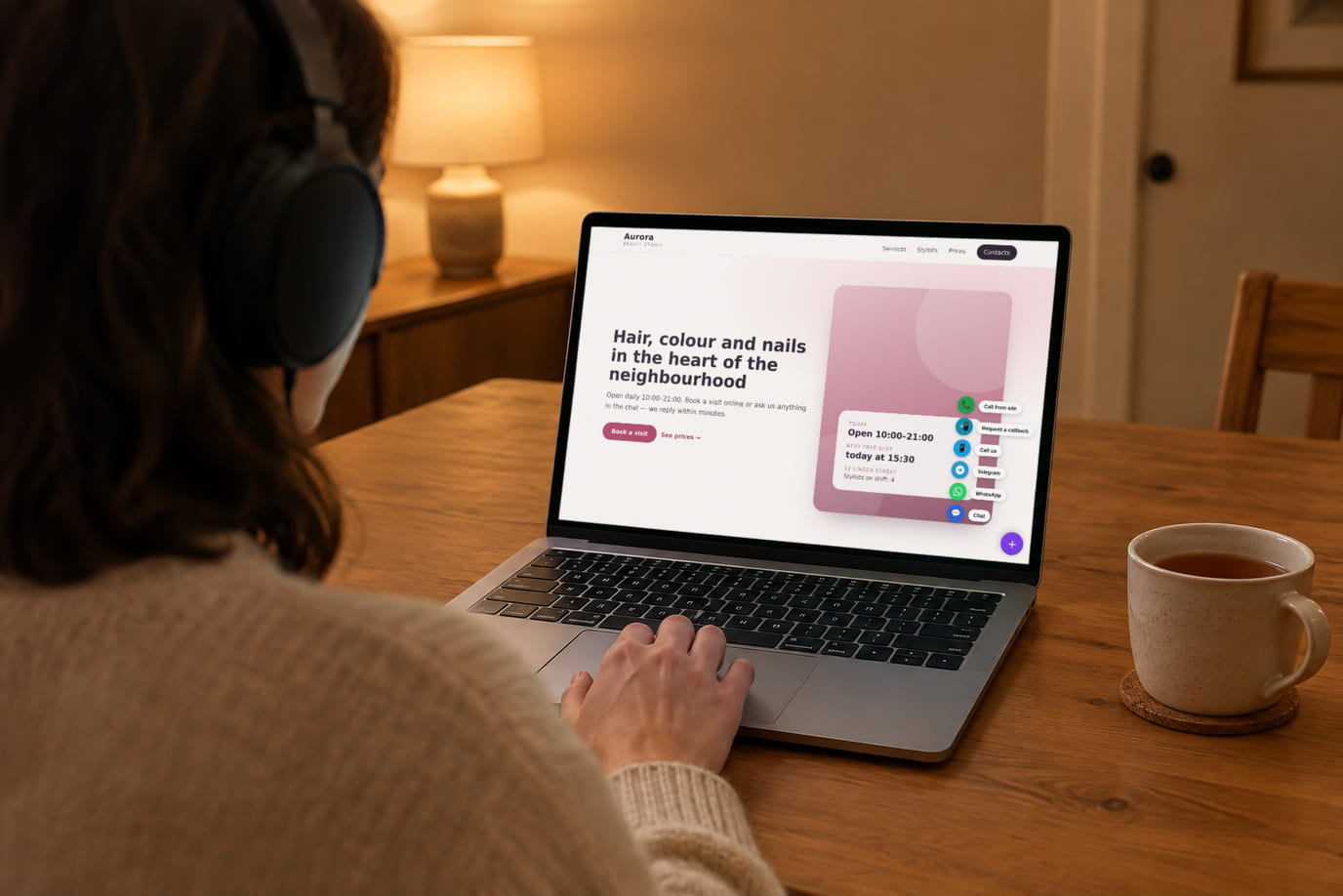
Illustration. Call from a laptop without reaching for the phone

How it looks on your site
Example interface. Customise colours, position and labels, then check your page on desktop and mobile.
On desktop
On mobile
On your side: Visitors call over the internet without dialing an international number. Their internet-provider terms apply; availability depends on the browser, network and your telephony.
On desktop
On mobile
On your side: For your phone system this is an ordinary inbound call: it follows your routing rules instead of landing in a separate widget “operator console”.
Where it goes
Exact menu names and plan requirements, taken from each platform’s own help center.
Sites built with our website builder ship with the widgets already wired — nothing to paste.
Step-by-step guides per platform — in the help center →Pricing
Free
Requires connected telephony
- No separate charge for the widget itself
- Dedicated telephony and calls are charged separately
- Visitors call over the internet without dialing an international number. Their internet-provider terms apply; availability depends on the browser, network and your telephony.
- Protective limits allow up to 5 call attempts per visitor per hour and 30 per location per hour. Wait before retrying when a limit is reached. Attempts do not guarantee a conversation.
What is included and what costs extra
Basic versions of 9 of the 13 widgets are free. Table booking, popups, help and legal pages on external sites are extensions. Connected services can cost extra.
With and without
| Without the widget | With the widget | |
|---|---|---|
| How the visitor calls | ✕ The site shows a number: the visitor copies it into a phone and dials by hand | ✓ The visitor taps the handset, allows the microphone and talks from the page |
| Cost for the visitor | ✕ Long-distance and international calls are paid for by the visitor | ✓ Visitors call over the internet without dialing an international number. Their internet-provider terms apply; availability depends on the browser, network and your telephony. |
| What staff see | ✕ The inbound call comes from the visitor’s number — which page they were on is unknown | ✓ The same inbound call on your PBX — plus the address and title of the page the visitor is calling from, right on the call card |
| Calling from abroad | ✕ Calling from abroad is expensive, so visitors write more often than they call | ✓ Internet calls with an available network and configured telephony |
| Setup | ✕ A separate call button means its own code on the site and its own terms | ✓ The same “My website” tag and a toggle; no extra code and no extra number |
Honest about the limits
- You need the location’s telephony deployed on Cenaly.ru and the web-call line switched on. Without them the button doesn’t call; the widget panel shows both conditions and can switch the line on right there.
- The visitor has to allow the microphone. A microphone blocked by your page’s security policy looks the same to the widget as the visitor declining.
- Visitors can only call you: the browser doesn’t register as a phone and cannot take inbound calls — you can’t ring back into the same tab. For the “call me back” scenario there is a separate callback widget.
- Who answers and what the visitor hears is decided by your PBX. The widget has no schedule of its own: outside working hours the same scenario runs as for a call from a phone.
- Protective limits allow up to 5 call attempts per visitor per hour and 30 per location per hour. Wait before retrying when a limit is reached. Attempts do not guarantee a conversation.
- Setup includes a web-call-line switch and tag builder for colour, caption and side. The widget has no display rules of its own; use the messenger button or place the tag only on selected pages.
- The call panel is translated into four languages (en, ru, ka, tr) — in other site languages it speaks English.
- This is a standalone widget for external websites. The Cenaly.ru storefront messenger-button fan has no web-call action.
Who it's for
- Businesses with customers abroad: hotels, tours, exports
- Services where explaining by voice is faster than writing
- Anyone who already has Cenaly.ru telephony and routing in place
What a browser call is and when you need one
A browser call is a button on your site that lets a visitor reach you by voice over the internet. They tap the handset and allow the microphone: no dialling, no app to install, no sign-up. The call arrives at your PBX as an ordinary inbound one.
You need it wherever calling is expensive or awkward: a visitor in another country, roaming, a work computer with no phone, a service page where it is simply easier to ask out loud. It differs from a callback in direction: here the visitor calls and talks right away instead of leaving a request to be rung back — and the browser cannot take a return call in the same tab.
The widget is free, but it needs the location’s telephony deployed on Cenaly.ru and the web-call line switched on; minutes are billed at your own provider’s rate. Routing, the queue and recording don’t have to change — calls follow the normal route, and the call card, transcript and metrics sit in the Calls section with everything else.
A browser call is the wrong choice if the location's telephony isn't deployed yet, or if your visitors sit in noisy places on poor connections — callback is safer there, since all it asks for is a number. Don't make it your only contact route either: some visitors will refuse microphone access or open the site in a browser that won't grant it, so keep a form or a messenger button next to it.
Questions and answers
What do I need to switch the widget on?
The location needs dedicated telephony and an enabled web-call line. Widget setup guides you through those requirements. Your site needs HTTPS, an accessible microphone and network connectivity; make a test call before publishing the button for visitors.
Does the visitor pay for the call?
Visitors call over the internet without dialing an international number. Their internet-provider terms apply; availability depends on the browser, network and your telephony. Free widget. Requires dedicated telephony, an enabled web-call line, HTTPS and microphone permission. Telephony charges apply separately.
Where does the call go, and is it recorded?
To your Cenaly.ru PBX as an ordinary inbound call, along the route you configured. If call recording is on, the recording appears in the Calls section with the rest — together with the call card, the transcript and the metrics. The widget has no section of its own.
Can I change how the button looks?
Setup includes a web-call-line switch and tag builder for colour, caption and side. The widget has no display rules of its own; use the messenger button or place the tag only on selected pages.
Does it work on mobile?
Yes, in mobile browsers with microphone access. On a phone visitors more often prefer an ordinary call, so it makes sense to keep both: the handset in the browser and your number.
Does the visitor need an app or an account?
Visitors need no app or account. HTTPS, internet access and microphone permission are required. The server issues short-lived call connection credentials instead of a permanent phone-system password. Protective limits apply to call attempts.
What does the visitor see if the microphone is blocked?
A clear message asking them to allow the microphone. There are separate messages for the other cases too: the line is off, telephony is unavailable, too many attempts, a network drop.
How do I install it?
With the shared “My website” tag plus the “Website call” toggle. WordPress — footer.php or a plugin, Tilda — HTML code in head, Shopify — theme.liquid, Webflow — Custom code; Wix and custom-built sites are supported too. The button can be hidden inside the multi-button — which also gives it display conditions.
Will the call button slow my site down?
The button and calling engine are separate files; the engine loads after a click. Visitors who do not call avoid that download, but the widget still uses network and device resources. Test your page on mobile.
How much does it cost?
$0 for the widget and $0 per minute from us; there is no add-on to buy. Telephony is not included: you pay for the conversation minutes at its own rate.
Are there call limits?
Protective limits allow up to 5 call attempts per visitor per hour and 30 per location per hour. Wait before retrying when a limit is reached. Attempts do not guarantee a conversation.
What do I need to install it?
An account, your website domain and permission to insert code. Prepare the selected widget’s data and test your published page. Follow the separate cookie banner instructions for early tracker blocking.
Will it work on my page?
Style isolation reduces conflicts but does not replace testing. Check buttons, forms, mobile layout and other scripts on your site.
What about languages and data?
Set your own texts separately; built-in labels fall back to English where translations are missing. Core data is stored in the brand’s cloud. Connected AI, telephony and other services have separate processing terms.
More — installation per platform, settings and troubleshooting — in the help center. Installation guide →
Works together with
All 13 widgets →Switch the button on so visitors call without dialling
Signup opens web-call setup. Connect telephony and the web-call line, install the tag and test a call from your published site.
Set up website callsFree widget. Requires dedicated telephony, an enabled web-call line, HTTPS and microphone permission. Telephony charges apply separately.