Café · coffee shop · bakery
POS and QR orders for cafés and coffee shops
At the counter, the cashier builds orders with modifiers; at the table, guests order by QR; the barista sees their own queue. Start with a QR menu; add POS and a kitchen screen on Basic.
Reference price of the Basic plan: ₽100 per month. Separate: hardware, fiscalisation where your country requires it, card acquiring and paid AI operations.
Free: QR menu with up to 50 items and 100 orders a month. POS starts on Basic; basic inventory operations are included. No card for sign-up.
- One catalog for the POS and the QR menu
- Modifiers and quantities on the POS ticket
- The bar and kitchen each see their own items

- locations on Basic
- 3
- items on Basic
- 500
- orders a month on Basic
- 1 000
- auto-translation languages on Basic
- 7
What it gives each part of the venue
At the counter
- Build the order with milk, syrup and combos, adjust quantities and check the total before saving
- Split the bill between guests and add tips at the POS
- Out of croissants — put them on the stop-list and they disappear from the menu and the POS
Guest
- Help them choose: photos, allergens and nutrition — in the menu in the guest's language
- Take orders from the tables and pre-orders for pickup — by QR or link
- Collect ratings after the visit — the feedback stays with you
Bar and kitchen
- Follow the screen and timers: what to make and what is already done; an order bumped by mistake comes back with Recall
- Print orders on a kitchen printer through the bridge
- Scheduled breakfast menus start on Premium
Owner
- Ingredient cost and recipe usage from Premium
- AI invoice recognition: check items and payment terms
- Bean and milk stock with included basic inventory
What you need to start
The guest's phone
The menu opens by QR in the browser — nothing to install.
A tablet or laptop for the POS
The POS runs in the browser and in the Android app; a customer display is an optional second device.
A receipt printer, if you have one
A compatible printer connects through the Cenaly.ru bridge. Check the model, driver and fiscal requirements for your country.
The menu
Photograph your paper menu, upload Excel or paste a link to your website — then check the imported items and prices.
From a menu to a tested workflow
- 1
Create an account and location
Select your venue format. Add a few items manually, check prices and the menu language. Sign-up does not require a bank card.
- 2
Prepare menu and connections
Import and AI tools depend on plan and payment terms. Check recognised items. For POS, printing and payments, verify equipment and availability in your country.
- 3
Test an order before launch
Follow the guest journey by QR. On an eligible paid plan, test POS, kitchen, printing and shift closure separately.
See what you will be working with
Captions describe work screens and required plans. The linked demo shows only the guest menu, not POS or inventory.
Guest QR order
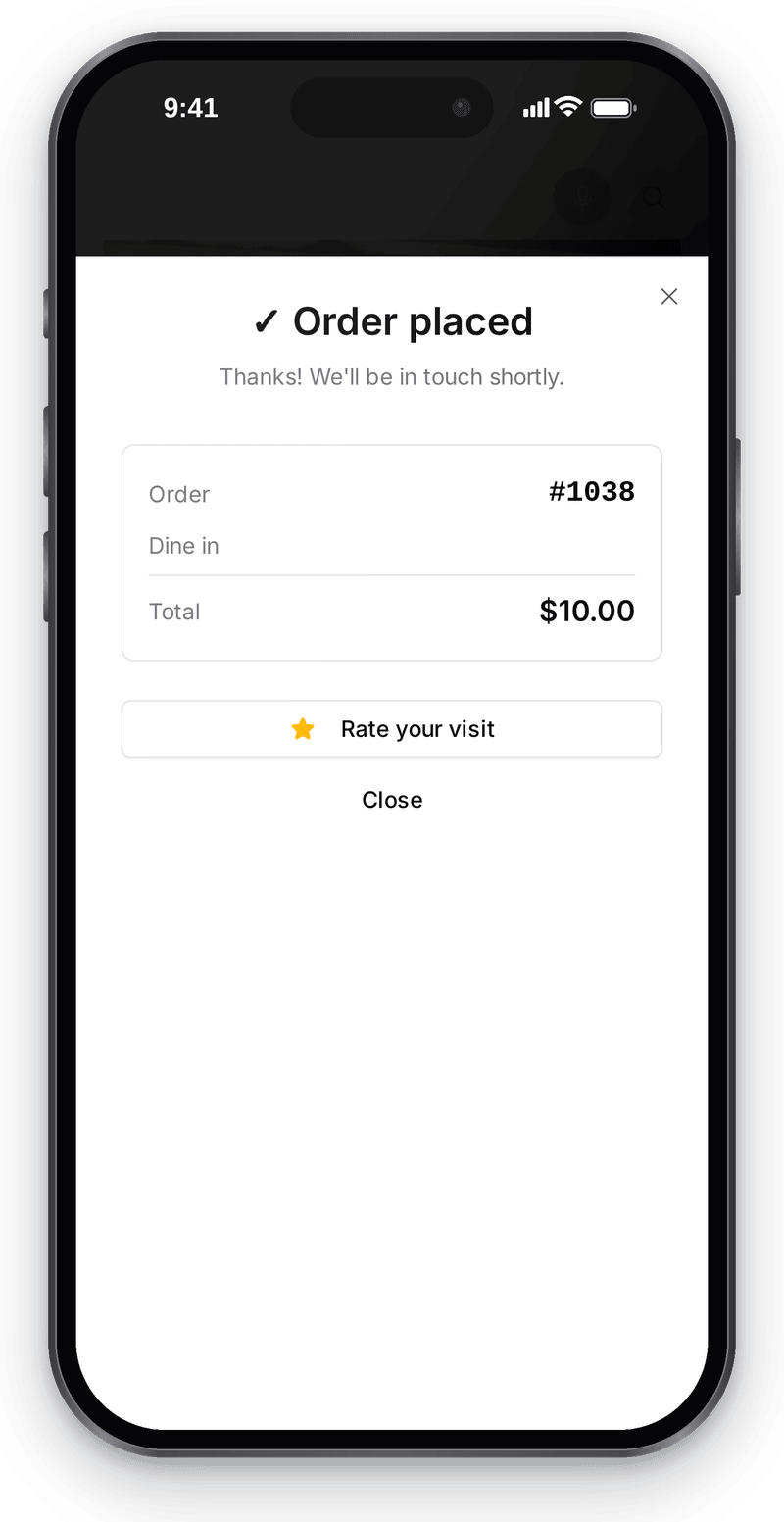
Guests send the order from their table and see its number and total at once — no retelling it to staff What happens in the recording

POS and kitchen
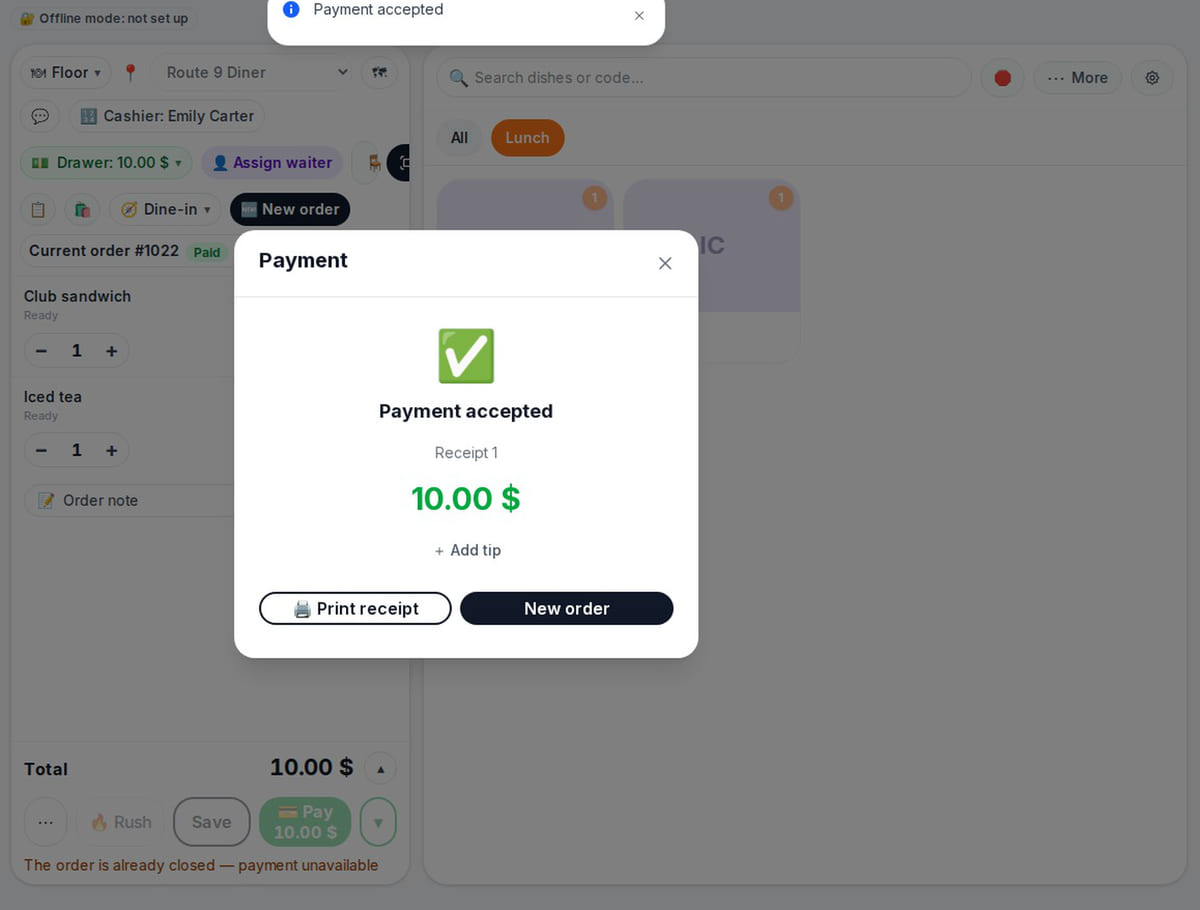
The kitchen sees the order as soon as it is saved, and payment closes it and saves the receipt What happens in the recording
Tables and QR codes
View full size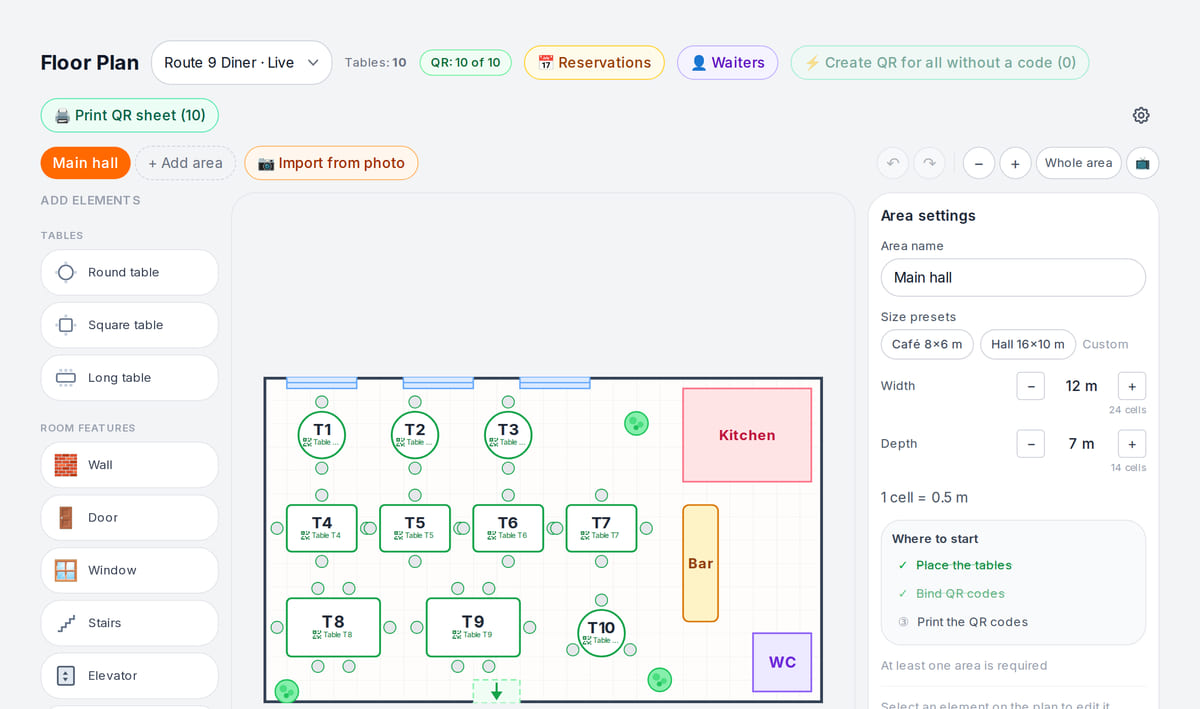
Each table has its own QR, so every order knows where to go


How it works in practice
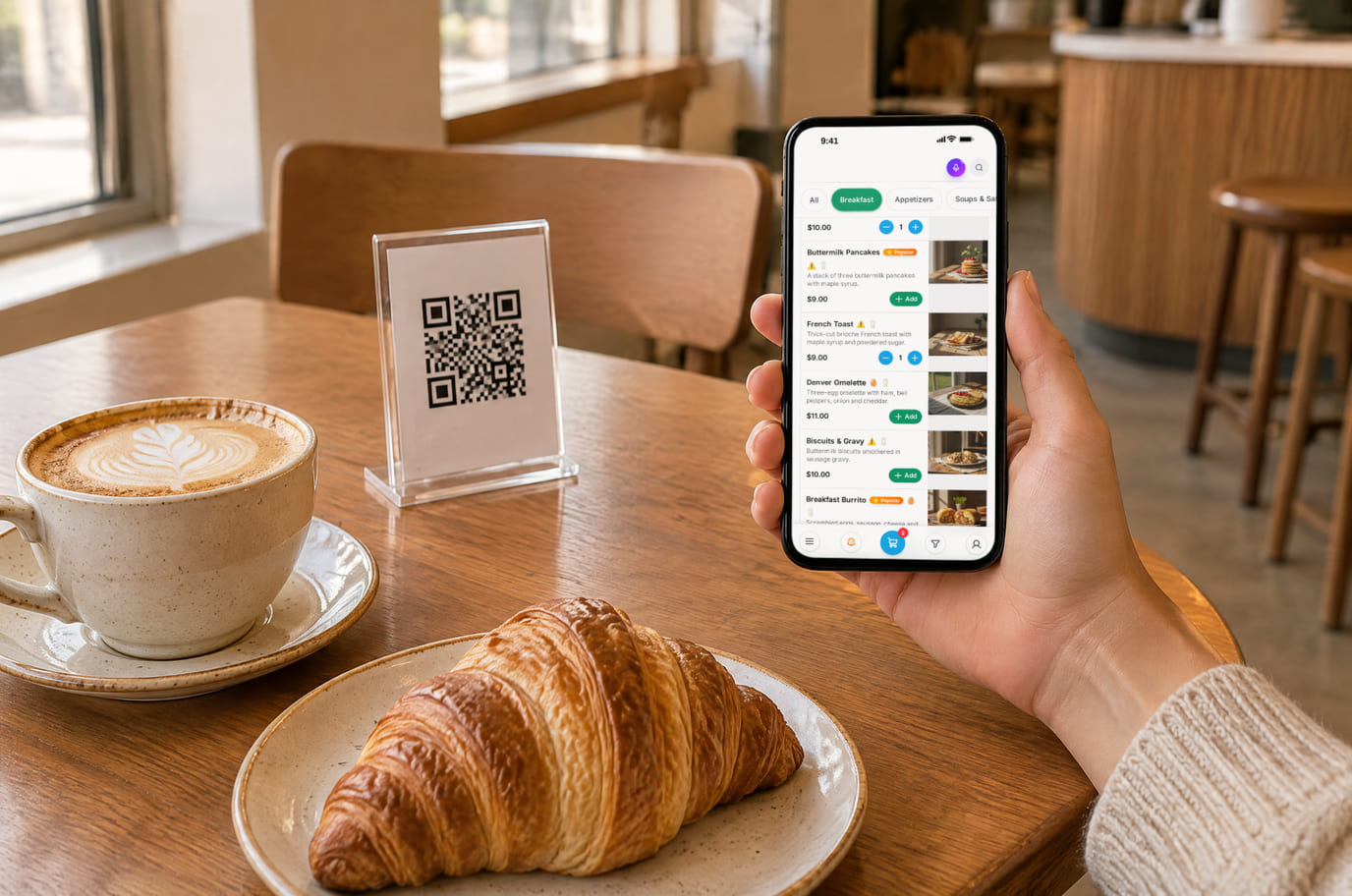
Illustration. The guest scans the table QR and orders without queuing at the counter 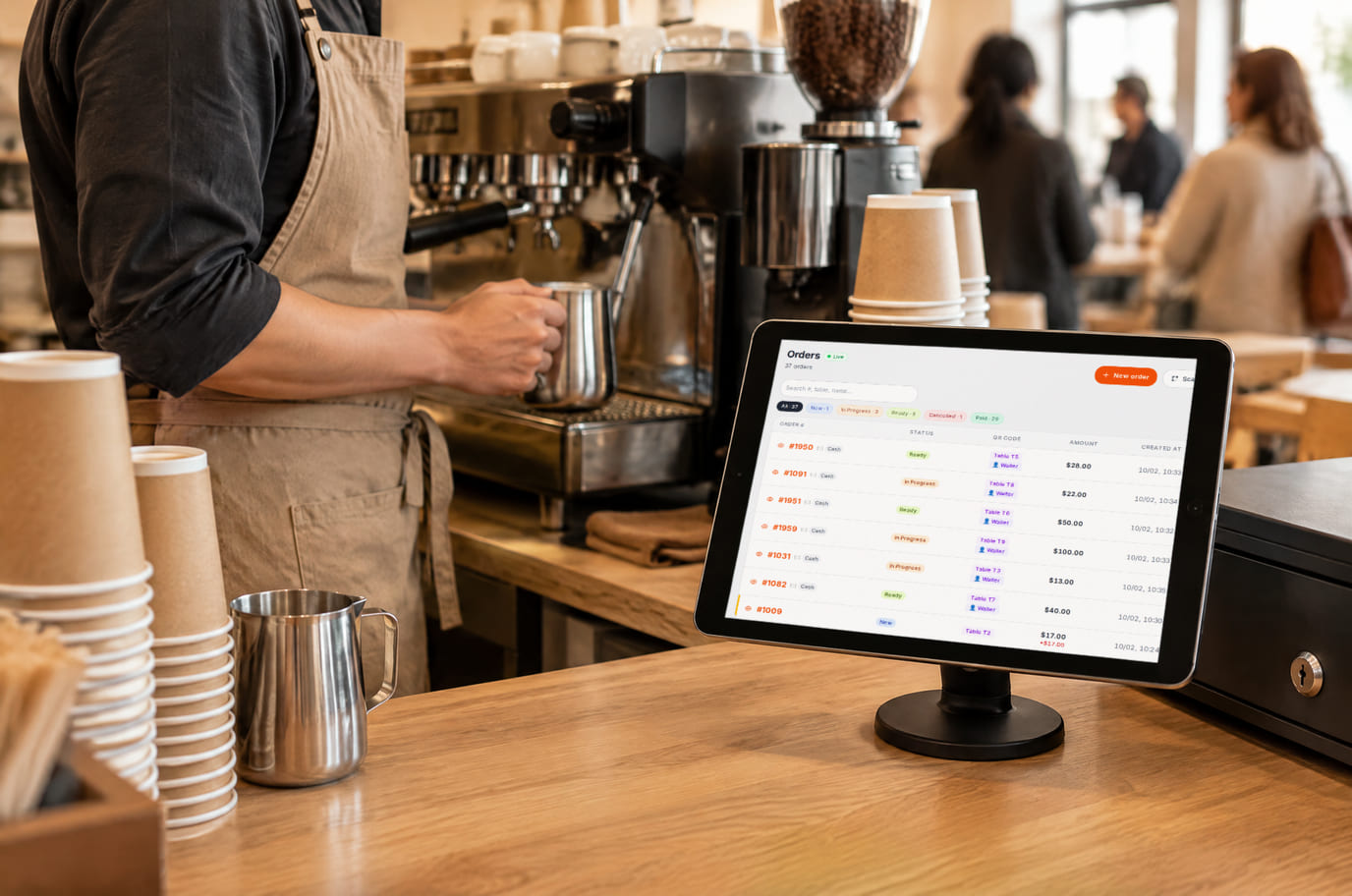
Illustration. A guest's order from the floor shows up on the barista's counter tablet


From opening to closing
Morning rush
At the counter someone asks for a large oat latte and a cappuccino with syrup. The barista marks the wishes on the POS and the order shows on the bar screen. Guests at the tables order by QR — nobody has to take their order at the counter.
A new price by lunchtime
By lunch you change the croissant price in the admin. It updates on the QR menu, the POS and the website — guests see the new price and you do not reprint anything.
Closing the shift
Reconcile cash against the POS report and close the shift. On Premium, check bean and milk deductions against configured recipes and stock before buying supplies.
Scenarios come from product settings and features, not testimonials: we don't promise "+30 % to the ticket" until we have measured it at your venue.
What it costs
Plan for the basic workflow described here
Basic
Reference price: self-service paid-plan checkout is currently unavailable on .ru. Registration does not activate paid features.
₽100 per month
₽1,000 per year when billed annually
An account subscription with limits for locations, devices, items, orders and languages. Equipment, acquiring and paid AI operations may cost extra.
Features and terms
- Basic: up to 3 locations, 500 items and 5 devices
- Up to 1,000 orders a month and 7 auto-translation languages
- POS, modifiers and shifts
- Bar and kitchen screen; printing on compatible equipment
- Basic inventory operations included; recipes, purchases from individuals and scheduled menus from Premium
- Online payment from Basic where a provider is available; not connected on .ru
Start with a free menu
One location, up to 50 items, 100 orders a month and 3 auto-translation languages. POS and kitchen start on Basic; basic inventory operations are included, extra features have their own terms. Some features depend on country and cloud.
Create an accountFree: QR menu with up to 50 items and 100 orders a month. POS starts on Basic; basic inventory operations are included. No card for sign-up.
What to consider before you start
- Orders from Wolt, Glovo and Yandex Eats do not yet reach the POS automatically — the integrations are being connected.
- Card terminal: the amount is still typed on the terminal by hand and the POS records a card payment; the direct link is being verified on live hardware.
- Online payment in the guest menu depends on the country — the list of payment providers is growing, check yours.
- A fully autonomous shift on a tablet without internet is still being finished: the POS and printing through the bridge hold during an outage, but relying on that as a mode of operation is premature.
- In the Russian environment the guest database (directory and segments) and guest cohorts in the Sources tab are not yet available; Finance and Statistics reports work.
- Online payment in the guest menu is not yet connected on .ru — payment at the POS and by bank link.
Check required connections and a test order before switching systems.
Frequently asked questions
We only do coffee to go. Will it work for us?
Yes. Take orders in counter mode on the POS and pre-orders by link or a QR at the entrance. The Basic plan covers counter work: no tables or waiters needed.
What does a cup of coffee cost me?
From Premium, enter beans, milk and syrup quantities in the recipe. The system calculates ingredient cost and deducts stock on sale; keep recipes and purchase prices up to date.
What if I open another coffee shop?
Add a location in the same account with its own prices, QR codes and hours. Basic covers up to 3 locations; Premium up to 10.
What do the videos on this page show?
Two complete flows in a sample café. A guest picks dishes by QR and sends the order from their table — it gets an order number right away and the guest sees the total. A cashier saves an order — the kitchen sees it on screen and marks it ready, and a cash payment closes the order and saves the receipt. Card payments, printing and fiscal requirements in your country are checked on your own equipment.
Will our equipment work?
The menu opens on a guest phone. POS needs a supported browser or app; printing, scales and scanners depend on the model and bridge driver. Test your devices before connecting them.
What happens if internet goes down?
The first menu visit requires a connection: a CDN is not an offline mode. Already-loaded POS and a local bridge have limitations. Do not treat a fully offline shift as a ready workflow without testing.
How do we keep our data when switching?
Save the original data before switching systems. In sections that offer export, check the fields and file format you need. A universal one-click transfer of all data is not promised.
Can we import a menu?
Add items manually or use import from a file, photo or supported source where your plan allows it. Check the results; timing depends on source quality.
How many locations can we manage?
Free covers 1, Basic up to 3 and Premium up to 10. Devices, items, orders and auto-translation have their own limits. See pricing for exact terms.
Details for every screen are in the help centre. Where to start →
Other formats and related tasks
All solutions →Restaurant
A restaurant with a floor and stations
Orders by table, kitchen by station, the cost of every dish and delivery with your own couriers.
Inventory and purchasing
Receiving and stock
Receipts, movements and physical counts for shops and venues, starting with one item.
Business finances
Expenses and profit
Sales, purchases and manual expenses — a simplified P&L with source reconciliation.
Your menu on Cenaly.ru — the first step to an orderly coffee shop
Upload your menu and look at it through a guest's eyes. QR orders are on the free plan; the POS and inventory come as your needs grow.
Free: 1 location, 50 items, 100 orders a month and 3 auto-translation languages. POS needs a paid plan; basic inventory operations are included.