For independent specialists, studio owners and administrators
Online booking for individual services and consultations
No scheduling back-and-forth: clients see a specialist’s available times and submit a booking by link. Review the day in your journal, reschedule visits and keep breaks between appointments.
Free plan: ₽0 per month. Basic booking and the journal are free; email automation, AI and payment services have their own terms.
Basic booking and the journal are free. Begin with one service, schedule and test visit.
Booking with a specialist, schedules and the journal; rooms and equipment are beta and enabled separately. On .ru, online payment, paid email automation and the general customer directory are unavailable.
- Your booking page — no separate website required
- Duration and buffer per service
- Rooms, equipment and visit series: beta, enabled separately
Who individual booking is for
A fit for
- Consultations: a task review or specialist advice
- Individual lessons: tutors, trainers, teachers
- Specialist appointments: one client, one specialist, a chosen time
Not this workflow
- Group schedules and class places
- Medical records and clinic patient visits
- Repair work orders, parts and diagnostics
- price and duration
- Service
- hours and breaks
- Schedule
- clients choose a time
- Link
- booking result and visit status
- Journal
How your team works
Client choices
- Service and specialist
- Configured availability
- Submission and result
Appointment journal
- Service, time and specialist
- Reschedule or cancel
- Mark attendance or no-show
Owner’s review
- Manages rooms and equipment (beta)
- Plans a series or composite visit (beta)
- Sees visit history and no-shows
What you need to start
A clear service
Name, price, duration and time between visits. Avoid mixing different services in an undefined consultation.
Specialist schedule
Hours, breaks, days off and existing bookings. Availability depends on these inputs.
Client entry
Share your storefront link. A booking widget can be added to an existing site separately.
Confirmation procedure
Assign responsibility for checking booking results and changes. Add deposits and reminders after the basic test.
Your first workflow
- 1
Describe one service
Choose Services by appointment. Set a name, price, duration and buffer, then open Appointments after onboarding.
- 2
Set availability
Add a specialist, assign the service, working hours and breaks. A specialist login is not required for availability calculation.
- 3
Test a booking
Choose a time as a client, wait for the result and check the journal. Test rescheduling and cancellation before sharing your link.
Try your own example
Product steps, not testimonials or promised results.
Booking page
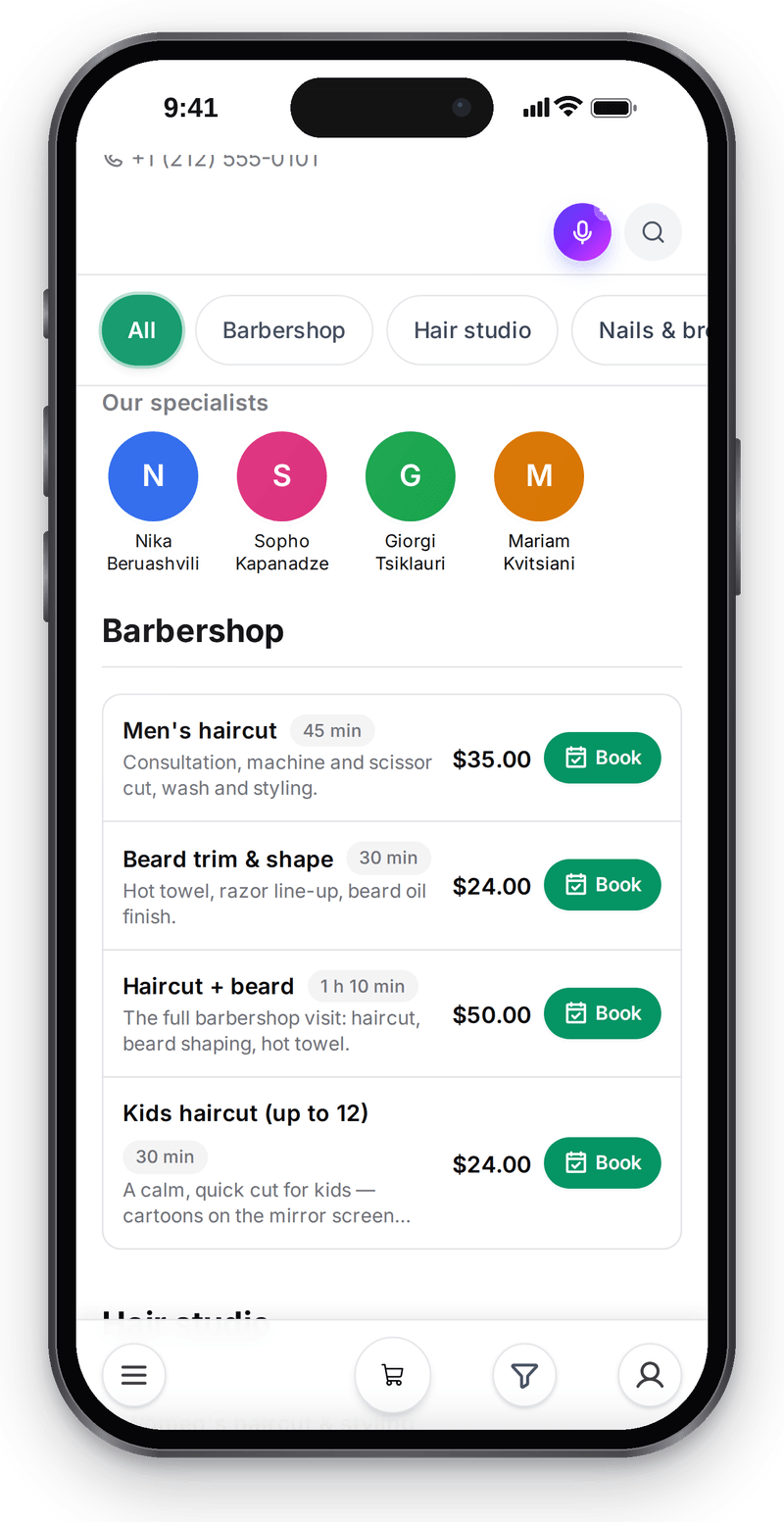
Services, specialists and prices are set up for your business

Booking: from choice to journal
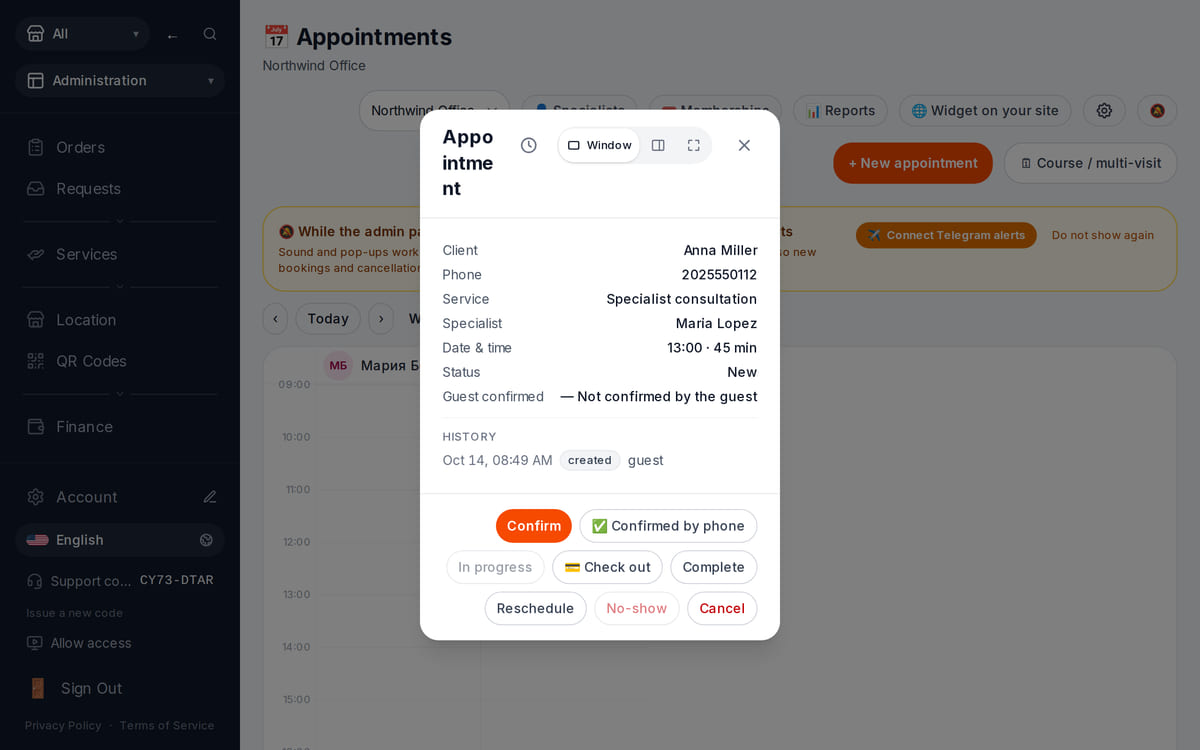
The server checks the specialist’s schedule, and reception sees the booking right away What happens in the recording
Schedule in the back office
View full size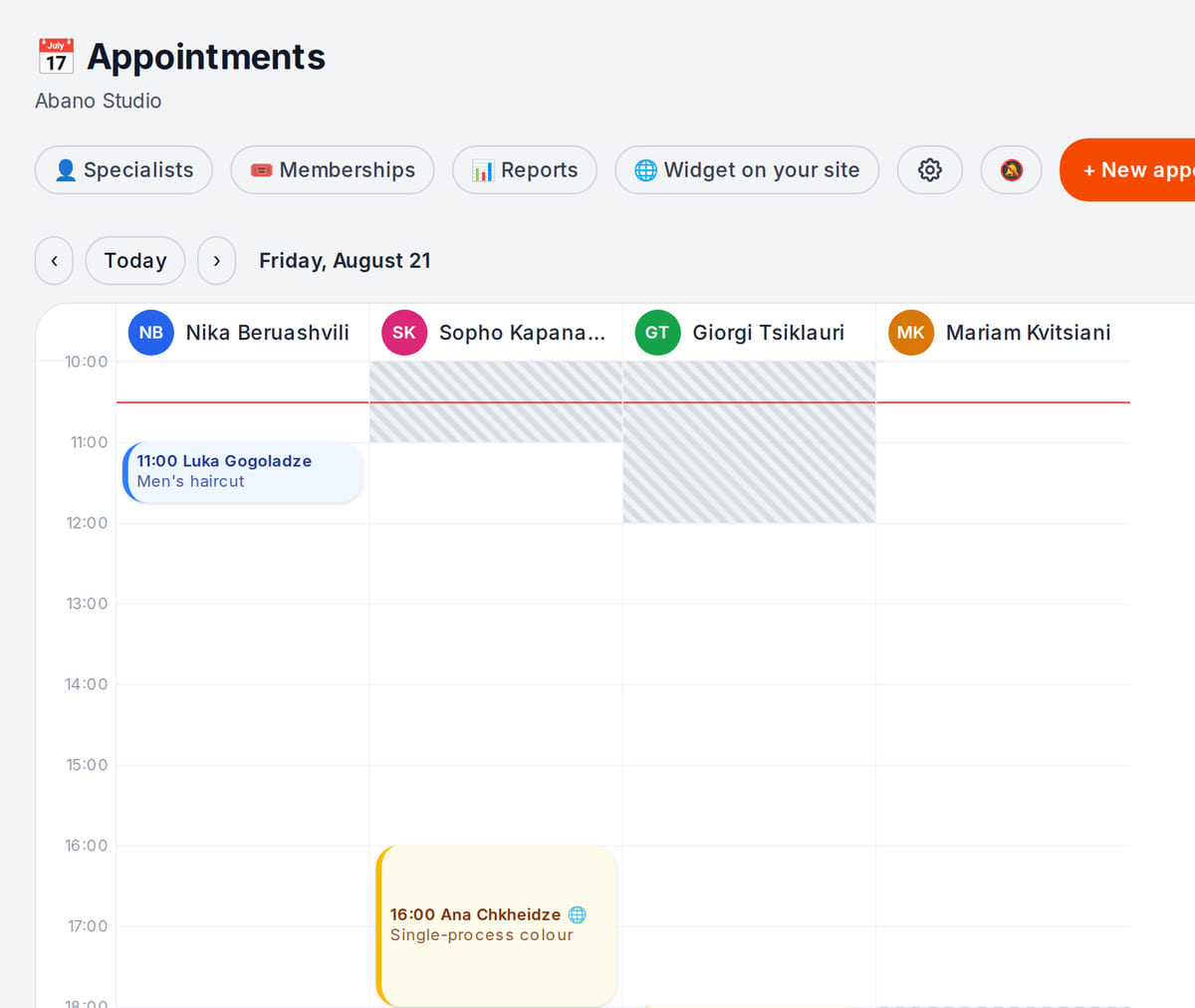
Online and manual bookings in one schedule


Why 13:00 works in this example but 10:30 does not
Offline verification of the availability engine used by the storefront. Date and schedule are synthetic. The calculation itself creates no booking: after submission the server checks the specialist’s availability again and, if the time is free, accepts the booking, which appears in the receptionist’s journal right away.
- 1
Inputs
Hours 09:00–18:00, 60-minute service, 15-minute buffer, existing visit 11:00–12:00 and break 12:00–13:00.
Hours and duration → - 2
Availability
10:30 would overlap the existing visit; 12:00 falls within the break. 13:00 fits this specialist.
Availability rules → - 3
Test your own visit
Submit via your link, wait for the server and compare the journal time. A displayed time is not an accepted booking.
First day for services →
How it works in practice

Illustration. Studio, workshop or tutor: booking works the same way

Where it helps the owner
Independent specialist
Example: consultations around other work. Open real reception hours and check date exceptions.
Small studio
Example: two specialists offer individual lessons on their own schedules. A shared room or equipment is set up as a service resource — this is beta and enabled separately.
Workshop reception
Example: clients book an initial consultation. Diagnostics, parts, repair and work orders are outside this workflow.
Example situations. Measure time and costs with your own operations.
What it costs
Plan for the basic workflow described here
Free
₽0 per month
Basic booking is included; account-plan limits apply to locations and catalog. Automation and payment services cost extra.
Features and terms
- Basic booking, journal and specialist assignment are free
- Account-plan limits apply to catalog and locations
- Email automation, AI and payment services have separate terms
- Measure messages needed to confirm a visit and time spent rescheduling over your own working week
What you can start for free
Basic journal, online booking and specialist assignment are included. Telegram reminders need the client to connect to your bot; email automation is separate.
Set up service bookingBasic booking and the journal are free. Begin with one service, schedule and test visit.
What to consider before you start
- Rooms, equipment, visit series and composite visits are beta and enabled separately: configure service resources and check availability at your location. Series and composite visits are created only in the staff journal, not in the guest widget.
- No repair work orders, spare-parts workflow, medical records or full learning platform.
- Availability depends on current schedules and bookings. Selecting a time does not guarantee server acceptance.
- Deposits require a supported connected provider in the country.
- On .ru, online payment and paid email automation are unavailable.
- The general customer directory is unavailable on .ru; this page offers the appointment journal.
Test your workflow and required connections before migrating data.
Frequently asked questions
How is this different from a salon?
The workflow uses services, specialists, offices and branches. It shares the booking engine, without promising salon, school or repair-center workflows.
Do I need a website?
No. Start with a storefront service link. There is a separate booking widget for an existing site.
Can I reserve a person and room together?
Yes, but it is beta and enabled separately: specify the rooms and equipment the service needs, and the check combines staff and resource availability. Series and composite visits are created only in the staff journal, not in the guest widget.
Does this cover groups and recurring packages?
The page shows an individual appointment with a specialist. Groups, recurring visits, rooms and equipment have separate settings and limitations; they are not part of this example.
Details for every screen are in the help centre. Where to start →
Related workflows
All solutions →Salon and barbershop
A salon with several specialists
Services, specialist schedules and visits in one journal, with a client booking link.
Professional services and B2B
Contracted services without a time slot
Inquiry, counterparty, proposal and invoice: an owner keeps agreed terms and outstanding payment together.
Open one service for a test booking
Set one specialist’s schedule, walk through the client journey and verify the journal before publishing your link.
Basic booking and the journal are free. Begin with one service, schedule and test visit.