Add-on · no fee per guest
Take table booking requests on your website
Guests enter a date, time and party size. Requests reach Tables alongside phone bookings; your team checks availability and confirms the table.
Add-on, price in the catalogue
Your website needs the paid add-on and bookings enabled. The form does not check free tables or confirm a booking automatically.
- One form with no guest account
- Requests alongside phone bookings
- No fee per guest

What the guest sees — and what appears on your side
Guest screen

In your dashboard

Where the data goes The Tables section of your dashboard — next to bookings taken by phone and from the QR menu
The whole job — workflow, settings and other channels — is on the page «Reservations and floor»
- commission per guest: the price doesn’t depend on how many book
- 0 %
- screen of form: name, phone, date, time, party size, note
- 1
- the party-size field limit, not a guarantee of available seats
- up to 50
- default booking length; a floor plan is not required for any of it
- 2 h
How it works for the visitor
- 1
The guest taps “Book a table”
They open the form with the widget’s own button in the corner of your site, with a button or link of yours, or from the “Book” item in your multi-button fan.
- 2
They fill in one form
Name, phone, date, time, party size and a note — all on one screen. Today’s date and 19:00 are pre-filled, and no sign-up is needed.
- 3
They see an honest “request sent”
The widget promises no confirmed table: it says the venue will confirm the booking, and offers to book another one.
- 4
They wait for the venue’s decision
Guests do not choose a table or room. The processed request appears in Tables; your team contacts the guest and agrees the seating.
Set up in three steps
Create an account and add your site
Signup opens setup for the selected product. Have your domain and permission to insert code ready.
Configure and install
Follow your platform instructions. Blocking trackers before consent requires the early CMP script, not just the shared async tag.
Test your published site
Enable the widget and try the visitor action on the published page. Settings may appear after the cache refreshes.
The tag
<script src="https://cdn.cenaly.ru/site/v1.js" data-domain="your-site.com" async></script>Shared widget tag. See the separate CMP instructions for blocking trackers before consent.
What the booking widget does
Ask for exactly what you need
One screen, no steps and no sign-up: name, phone, date, time, party size, note. Today’s date and 19:00 are filled in already. Best for sites where guests abandon long forms.
Keep every booking in one place
A website request lands in the Tables section by the same route as a phone booking or a QR-menu one — no second table and no separate list appears. Best for venues whose bookings are scattered across email and messengers.
Wire the form to your own buttons
Open the panel with the widget’s button, with a `window.CenalyBooking.open()` call from your own button or link (a date and time can be pre-filled), or from the “Book” item in the multi-button fan. Best when your site already has a “book” button of its own.
Keep entered details after a send error
A send error appears right under the form and what the guest typed stays where it was — nothing has to be entered again. Best for sites with mobile traffic and shaky connections.
Style the button for your site
Set the button colour, corner and label in the tag; the venue name comes from its profile. The panel isolates its styles. Check placement and compatibility with other buttons on your site.
Never show a dead button
If bookings are switched off for the location, the widget quietly stays down: a button with nothing behind it is worse than no button. Best for chains where some locations don’t take bookings.
Where it pays off
A venue site on a site builder
Add the shared tag to an allowed custom-code area. Access depends on your website platform and plan.
Your own button in the header
Your designed “Book” button opens our panel with a single line of JavaScript — its styling stays exactly as it is.
Booking inside the multi-button
The guest picks “Book” in your multi-button fan and gets the same form — one button stays in the corner of the site.
A link from social media
From a profile or a story you send people to the site, where booking opens in one tap and needs no back-and-forth in DMs.
The evening rush
A guest sends a request while the manager is busy on the floor; it waits in the Tables section rather than among missed calls.
Bookings without a floor plan
You keep requests as a list per date and allocate tables yourself — a floor plan isn’t required to run the widget.
How it works in practice
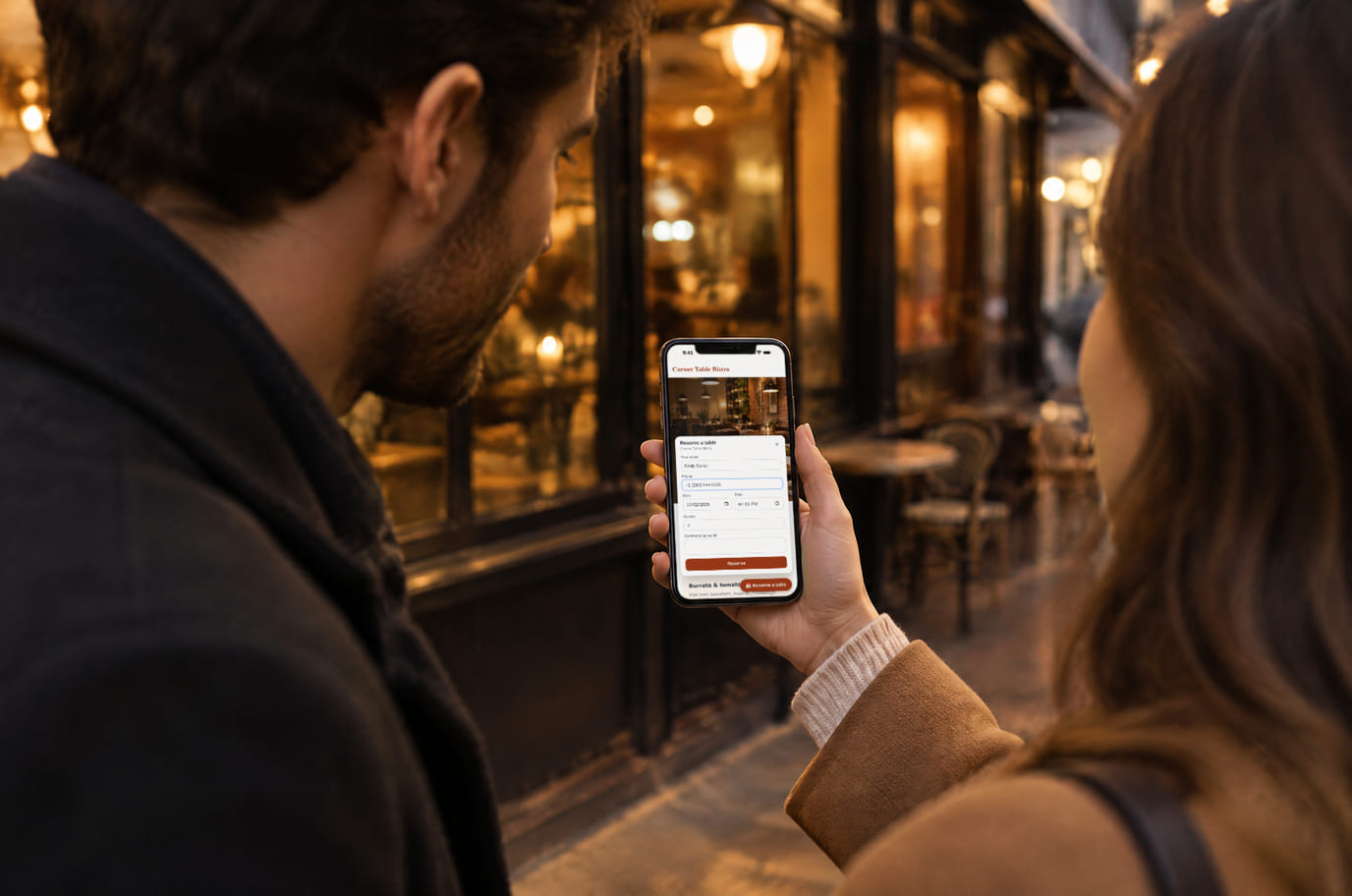
Illustration. A booking in a minute, right on the street

How it looks on your site
Example interface. Customise colours, position and labels, then check your page on desktop and mobile.
On desktop
On mobile
On your side: The panel header shows the venue name from your public profile. The form does not check table availability: it is a request, and the decision stays yours.
On desktop
On mobile
On your side: The reservation lands in Tables through the same signal as a reservation from your storefront, and in the shared Leads stream. There is no separate widget inbox to log into.
Where it goes
Exact menu names and plan requirements, taken from each platform’s own help center.
Sites built with our website builder ship with the widgets already wired — nothing to paste.
Step-by-step guides per platform — in the help center →Pricing
Add-on, price in the catalogue
- You pay for the widget on your own website, including one built by our site builder
- Pay yearly and you pay for 10 months instead of 12
- There is no fee per seated guest: the number of bookings doesn’t change the price
- Bookings by phone, from the QR menu and from your Cenaly.ru storefront stay free
- There is exactly one billable unit — the add-on subscription: not seated guests, not tables, not visitors and not domains
With and without
| Without the widget | With the widget | |
|---|---|---|
| How guests book | ✕ The guest has to call, and at peak hours nobody picks up straight away | ✓ They book from the site themselves: one form, no call and no sign-up |
| Price | ✕ Your chosen booking service’s terms need to be included in costs | ✓ A fixed add-on price that the number of bookings does not move |
| Where bookings live | ✕ Website bookings arrive by email and live in a table of their own | ✓ The request lands in the Tables section next to phone and QR-menu ones |
| After-hours requests | ✕ At night there is nobody to take the request, and it is recorded nowhere | ✓ The form takes requests outside opening hours; you handle them later |
| Confirmation | ✕ The guest has no idea whether they are expected | ✓ The screen says it plainly: the venue confirms the booking |
Honest about the limits
- The widget sends a request; it does not confirm a booking automatically — the decision stays with the venue.
- The form does not calculate availability: it checks no free tables and offers no alternative time. A pre-filled date and time simply populate the fields.
- Guests pick neither a table nor a room — you allocate those. A floor plan is not required either: bookings work as a plain list of requests per date.
- If bookings are switched off for the location, the button is not shown at all — the widget won’t draw something that wouldn’t work.
- The field accepts 1–50 guests; it does not check capacity. The default booking duration is 2 hours.
- The time in the form is the venue’s time: the guest books “on the spot”, with no conversion into their own time zone.
- The panel’s built-in labels come in four languages (en, ru, ka, tr); the button caption is set separately.
- Network failures trigger retries and a browser queue lasting up to an hour. Delivery depends on connectivity returning and browser storage being available; the request screen does not guarantee processing by the venue.
Who it's for
- Restaurants, cafés and bars with seating and their own website
- Venues currently paying for every guest they seat
- Anyone keeping bookings as a list per date, without a floor plan
What a booking widget is and when you need one
A table booking widget is a button and a short form on a venue’s website through which a guest sends a request for a table: the date, the time and the party size. The request lands in the Tables section next to bookings taken by phone and from the QR menu, so no second list and no double work appear.
You need it where the phone is the bottleneck: the evening rush, one manager covering both the floor and the phone, guests who would rather tap a button than talk. And where bookings currently go to services that charge for every guest you seat.
Here it is an add-on with a fixed price and no fee per guest: however many bookings come in, the bill stays the same. What you pay for is the ability to take requests on YOUR OWN site — including a site built by our site builder; bookings by phone, from the QR menu and from your Cenaly.ru storefront stay free.
Website booking is pointless where guests are seated first-come-first-served and nobody holds a table an hour ahead anyway: the form would create a promise the floor can't keep. And it is not appointment booking — there the guest picks a specific specialist and service at an exact time; here they pick a date, an hour and a party size, and the host decides who sits where.
Questions and answers
What exactly am I paying for?
For the button and the form on your own website, from which requests go into the Tables section — including on a site built by our site builder. There is no fee per guest: the number of bookings doesn’t change the price, and paying yearly comes to 10 months instead of 12.
Where do website bookings go?
Into the Tables section of your dashboard — next to bookings taken by phone and from the QR menu. No separate table and no second list appears.
Do I need a floor plan?
No. Bookings work without a table layout, as a list of requests per date. There is no table or room choice in the form at all: the guest gives a party size and you allocate the tables.
Will the guest get a confirmation?
The form reports a sent request, not an available table. Your team checks seating and replies to the guest. The form does not ask for email or promise an automatic confirmation email.
Can I open the form from my own button?
Yes: a `window.CenalyBooking.open()` call opens the panel from any button or link of yours and can pre-fill the date and time. The same form opens from the “Book” item in the multi-button fan.
Can guests send a request while we’re closed?
Yes, when bookings are enabled. Your team handles after-hours requests later. For calls, you can separately connect callback and configure its night queue.
How do I install it?
With the shared “My website” tag plus the Booking toggle. WordPress — footer.php or a plugin, Tilda — HTML code in head, Shopify — theme.liquid, Webflow — Custom code; Wix and custom-built sites are supported too.
Will the booking form slow my site down?
The shared loader loads the form and profile data, using network and device resources. Check loading, button placement and a test request on your site, including mobile.
How is this different from service appointments?
A table booking is a request for seating that the floor allocates, and it does not calculate availability. An appointment picks a specialist and a specific free slot from a live schedule; that is the neighbouring free widget.
Does this form take a deposit?
No. This simple widget form collects contact details and seating preferences. Deposit options in other booking flows do not add payment to this form.
What do I need to install it?
An account, your website domain and permission to insert code. Prepare the selected widget’s data and test your published page. Follow the separate cookie banner instructions for early tracker blocking.
Will it work on my page?
Style isolation reduces conflicts but does not replace testing. Check buttons, forms, mobile layout and other scripts on your site.
What about languages and data?
Set your own texts separately; built-in labels fall back to English where translations are missing. Core data is stored in the brand’s cloud. Connected AI, telephony and other services have separate processing terms.
More — installation per platform, settings and troubleshooting — in the help center. Installation guide →
Works together with
All 13 widgets →Let guests book without getting through on the phone
After signup, enable the add-on and bookings, install the tag and send a test request. Check it in Tables before starting ads.
Set up booking requestsNo fee per guest · yearly = 10 months instead of 12 · the confirmation is yours to give