Free · no commission per order
Add online ordering to your existing website
For cafés, bakeries and shops. A button opens your Cenaly.ru storefront over the page: catalogue, cart and checkout. Orders go to one monitor.
The widget charges no commission. Kitchen display and own delivery depend on your plan and settings; payment processing is charged separately by the provider. Start with storefront mode; see other modes’ limits below.
- Catalogue and prices from your dashboard
- Cart inside the storefront
- Contacts and orders in your account

What the guest sees — and what appears on your side
Guest screen

In your dashboard

Where the data goes The Cenaly.ru order monitor: items, contacts and delivery address. Kitchen and courier tools are connected separately according to your plan.
The whole job — workflow, settings and other channels — is on the page «QR menu and ordering»
- commission per order — the widget is free, with no order limits
- 0 %
- modes in settings; separate-cart availability depends on the environment
- 4
- platforms with ready-made selector presets — 11 are recognised in all
- 8
- menu for every surface: QR code, storefront and your own website
- 1
How it works for the visitor
- 1
A visitor opens your storefront
The site button opens your Cenaly.ru catalogue over the page.
- 2
They choose products
Catalogue, prices and availability follow your dashboard settings.
- 3
They check out
The storefront shows fulfilment and payment methods enabled for the location.
- 4
Your team receives the order
Check the order and contacts in the monitor. Connect kitchen and delivery tools according to your plan.
Set up in three steps
Create an account and add your site
Signup opens setup for the selected product. Have your domain and permission to insert code ready.
Configure and install
Follow your platform instructions. Blocking trackers before consent requires the early CMP script, not just the shared async tag.
Test your published site
Enable the widget and try the visitor action on the published page. Settings may appear after the cache refreshes.
The tag
<script src="https://cdn.cenaly.ru/site/v1.js" data-domain="your-site.com" async></script>Shared widget tag. See the separate CMP instructions for blocking trackers before consent.
Set ordering up to fit your site
Choose how deep it goes
Start with Storefront overlay: checkout runs in your Cenaly.ru storefront opened over the site. Modes with a separate cart and external-site products on cenaly.com are limited by an unfinished order-receiving setup; do not advertise them without a successful order test. That receiving route is supported on cenaly.ru.
Keep one menu everywhere
Storefront mode reads items, prices and the stop list from the Cenaly.ru catalogue. The separate cart reads external-site products through a selector map and submits unlinked order lines; catalogue stock synchronisation is not promised for those lines.
Let the scanner map your site
The scanner in the admin crawls up to 6 pages, detects the platform (11 are recognised by fingerprint, 8 have ready-made selector presets) and finds products, prices and the cart. Where no preset fits, an AI pass over the markup proposes selectors, but only what is verified against real HTML makes it into the map. You see a sample recognised product before the map is applied. Best for shops with an existing layout.
Show your own prices
In on-top modes the prices in your markup are rewritten by a rule: a percentage or an amount, clamps and rounding down to “nice” endings, plus up to 200 per-item overrides by URL, name or SKU. The base is always the site’s original price, and your staff see it on the order line. Best when the site and the catalogue live in different systems.
Test integration with your site
Replace and takeover change native buttons and cart behaviour. Test product recognition, prices, checkout and order arrival on a page copy first; compatibility with every theme is not guaranteed.
Handle delivery and pickup
The widget charges no commission. Kitchen display and own delivery depend on your plan and settings; payment processing is charged separately by the provider. Configure fulfilment methods on the storefront. The external site’s separate cart does not reproduce every storefront checkout feature.
Catch the shoppers who found it sold out
A sold-out product page gets its own “Notify me when it’s back” button: the visitor leaves an email, confirms it via a link and receives one message when the item is back in stock. You pick the product and variant for the button in the generator, and stock comes from your catalogue with us — we never read the third-party page. Best for shops that lose interest at the words “out of stock”.
Where it pays off
A café with a one-page site
A floating button opens the storefront over the site — no second menu to move across and maintain.
A WooCommerce or Shopify shop
A scanner preset helps map page elements. Apply and test the map with an order; account for mode and brand limitations.
One buy button instead of two
Replacement mode hides the site’s own buy buttons and cart so the guest isn’t seeing double.
Leaving marketplace commission behind
The same order placed on your own site gives no cut to a platform, and the customer’s contact stays with you.
Your own pricing on the site
A rewrite rule shows the price you want, and the original one can stay struck through beside it with a badge.
A QR code on the packaging
A `#cenaly=order:item` link opens that exact product on your site — it never touches the guest’s cart.
How it works in practice
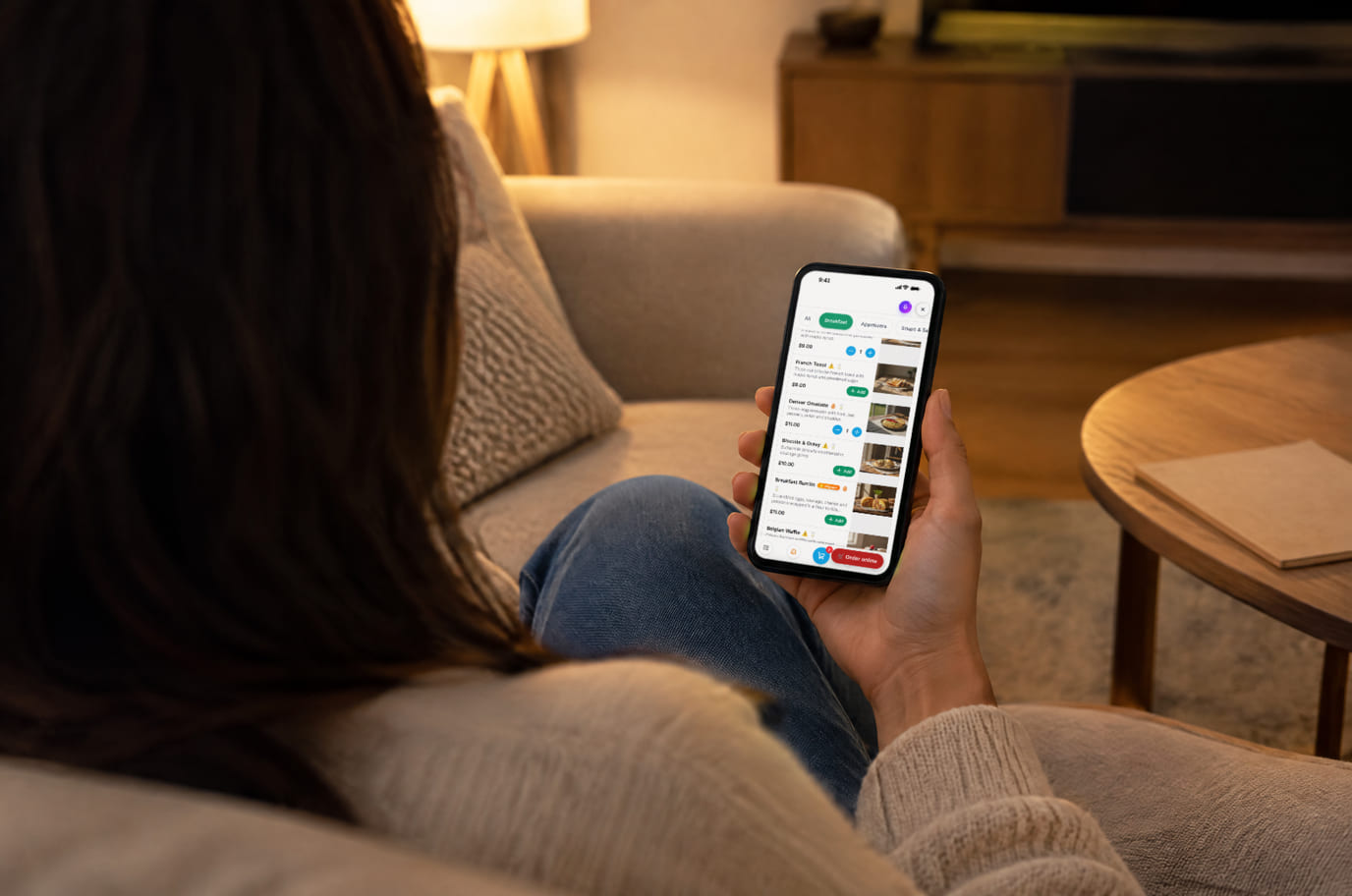
Illustration. Ordering from your site — no phone call, no third-party aggregator

How it looks on your site
Example interface. Customise colours, position and labels, then check your page on desktop and mobile.
On desktop
On mobile
On your side: The cart lives in the guest’s browser, but in overlay modes the cross-sell popup sees it too — it adds the extra item to the SAME cart instead of opening a second one.
On desktop
On mobile
On your side: Storefront mode reads items, prices and the stop list from the Cenaly.ru catalogue. The separate cart reads external-site products through a selector map and submits unlinked order lines; catalogue stock synchronisation is not promised for those lines.
On desktop
On mobile
On your side: The sent screen does not confirm payment or acceptance by the shop. Before advertising, check that a test order appears in the monitor.
Where it goes
Exact menu names and plan requirements, taken from each platform’s own help center.
Sites built with our website builder ship with the widgets already wired — nothing to paste.
Step-by-step guides per platform — in the help center →Pricing
Free
- The widget is free — no commission per order and no order limits
- The site scanner, the selector map and your own pricing are included
- The widget charges no commission. Kitchen display and own delivery depend on your plan and settings; payment processing is charged separately by the provider.
- Online payment requires a connected live provider for your country and currency. It is not yet available on cenaly.ru. The current separate-cart version can also open provider checkout; the return leads to the Cenaly.ru storefront, not the external-site page.
- No percentage of the order, no charge per visitor, per widget impression or per domain — the widget has no billable unit at all
What is included and what costs extra
Basic versions of 9 of the 13 widgets are free. Table booking, popups, help and legal pages on external sites are extensions. Connected services can cost extra.
With and without
| Without the widget | With the widget | |
|---|---|---|
| Cost per order | ✕ The site sends visitors to another ordering channel | ✓ The button opens your storefront over this page |
| Menu accuracy | ✕ The catalogue needs a separate page to maintain | ✓ Storefront catalogue is managed in the dashboard |
| Where orders arrive | ✕ Message orders must be copied for the operator | ✓ Submitted orders reach the shared monitor |
| Customer contacts | ✕ Contacts need to be collected with each order | ✓ Contacts and orders are available in your account |
| Site appearance | ✕ A checkout integration method must be chosen | ✓ Start with storefront mode without a selector map |
Honest about the limits
- Online payment requires a connected live provider for your country and currency. It is not yet available on cenaly.ru. The current separate-cart version can also open provider checkout; the return leads to the Cenaly.ru storefront, not the external-site page.
- Start with Storefront overlay: checkout runs in your Cenaly.ru storefront opened over the site. Modes with a separate cart and external-site products on cenaly.com are limited by an unfinished order-receiving setup; do not advertise them without a successful order test. That receiving route is supported on cenaly.ru.
- The scanner crawls up to 6 pages and verifies selectors against real HTML: unusual markup may need the map adjusted by hand.
- Price rules always calculate from the site’s original price, never from an already rewritten one; your staff see the original price on the order line.
- In on-top modes items reach your staff as lines with the source page URL and without a link to a catalogue item.
- The floating order button is deliberately hidden by the Multibutton when its fan includes an ordering item: one button stays in the corner instead of two.
- The widget changes the layout of your site, so on sites built with our website builder it is off by default — the storefront is native there.
- The widget’s built-in labels cover four languages (English, Russian, Georgian, Turkish); item names and descriptions follow your menu languages.
- The widget charges no commission. Kitchen display and own delivery depend on your plan and settings; payment processing is charged separately by the provider.
- For locations in Russia, do not enable remote alcohol ordering. The server cancels those orders; the separate cart may show submission before cancellation, so exclude such products from this flow.
- Submitting an order does not automatically issue a fiscal receipt. The till and receipt process depend on the country.
Who it's for
- Restaurants, cafés and bakeries with delivery and pickup
- Shops that need a cart layered over an existing website
- Anyone giving a platform a cut of orders from their own site
What an ordering widget is and when you need one
The widget adds a button to an existing site to open a catalogue and checkout. Storefront mode uses dashboard data; separate-cart modes recognise external-site products and need separate testing.
Useful when you already have a site and a team to handle orders. The widget does not bring buyers by itself; advertising, order handling and fulfilment remain your responsibility.
Start with Storefront overlay: checkout runs in your Cenaly.ru storefront opened over the site. Modes with a separate cart and external-site products on cenaly.com are limited by an unfinished order-receiving setup; do not advertise them without a successful order test. That receiving route is supported on cenaly.ru. The widget charges no commission. Kitchen display and own delivery depend on your plan and settings; payment processing is charged separately by the provider.
The ordering widget is pointless if there is nobody to take the order: it carries the guest to checkout, but the cooking, packing and delivery are still yours — without a shift watching the order monitor the button turns into missed requests. And it is neither booking nor appointments: here the guest pays for goods and waits for delivery or pickup, rather than occupying your time.
Questions and answers
Is it really commission-free?
Yes: the widget and order taking are free, we take no cut and there is no limit on orders. The site scanner, the selector map and your own pricing are included too.
Where do orders arrive?
Into the Cenaly.ru order monitor. Kitchen display, printing and delivery need the appropriate plan, settings and equipment; they are not automatically included with the free button.
How will ordering look on my site?
Start with Storefront overlay: checkout runs in your Cenaly.ru storefront opened over the site. Modes with a separate cart and external-site products on cenaly.com are limited by an unfinished order-receiving setup; do not advertise them without a successful order test. That receiving route is supported on cenaly.ru.
How does the widget find products on my site?
The scanner in the admin crawls up to 6 pages, detects the platform (11 by fingerprint, 8 with ready-made presets) and finds cards, prices and the cart. For custom-built sites and unusual themes an AI pass over the markup proposes the selectors; every selector is verified against real HTML and an unverified one never enters the map, and you see a sample recognised product before the map is applied.
Can I show different prices on the site?
Yes: a rule changes the prices in your markup by a percentage or an amount, applies clamps and rounding, and up to 200 per-item overrides by URL, name or SKU go on top. The base is always the site’s original price; it can stay struck through beside the new one with a badge.
Is there online payment?
Online payment requires a connected live provider for your country and currency. It is not yet available on cenaly.ru. The current separate-cart version can also open provider checkout; the return leads to the Cenaly.ru storefront, not the external-site page.
How do I install it on WordPress, Tilda or Shopify?
Install the shared tag and enable Ordering. Choose storefront mode to start without a selector map. Custom-code access depends on your site platform and plan; complete a test order before advertising.
Will the ordering widget slow my site down?
Storefront mode loads the storefront when opened. Other modes read and observe the external site’s markup and build a cart. Test network use, speed, button placement and compatibility on mobile.
What happens to my menu and orders if we leave or the service shuts down?
While the account is accessible, export orders and catalogue data as CSV from the dashboard. Save needed data before disconnecting. Remove the tag and check that native buttons and cart work again. Self-service export requires access to the service.
How much does it cost?
The widget charges no commission. Kitchen display and own delivery depend on your plan and settings; payment processing is charged separately by the provider.
What do I need to install it?
An account, your website domain and permission to insert code. Prepare the selected widget’s data and test your published page. Follow the separate cookie banner instructions for early tracker blocking.
Will it work on my page?
Style isolation reduces conflicts but does not replace testing. Check buttons, forms, mobile layout and other scripts on your site.
What about languages and data?
Set your own texts separately; built-in labels fall back to English where translations are missing. Core data is stored in the brand’s cloud. Connected AI, telephony and other services have separate processing terms.
More — installation per platform, settings and troubleshooting — in the help center. Installation guide →
Works together with
All 13 widgets →Table booking
A “Book a table” button → one form → a request in your Tables section
Add-on, price in the catalogue
Video bubble
A bubble with a clip from your menu in the corner of your site: tap for video with sound and an “Order” button
Free
Social proof
Notices with order, booking, appointment and rating figures from your account
Free
Take the orders from your own site back
After signup, set up the catalogue and ordering, install the tag and choose storefront mode. Complete the guest journey and check the order in the monitor before launching ads.
Set up the order buttonNo card required · no commission per order · menu and prices from your admin